Consult
Capture the client, service, natural base, desired result, and relevant history.

SalonSight™ is a mobile-friendly hair salon application that connects client consultations, hair assessments, color formula assistance, and salon inventory management—so stylists spend less time piecing information together and more time focused on the service.
Use the full AI-assisted consultation, or simply enter your own formula — inventory is tracked either way. The stylist remains in control of the final assessment and formula.
Keep the information that matters to the stylist in one place and carry it forward to the next visit.
Capture the client, service, natural base, desired result, and relevant history.
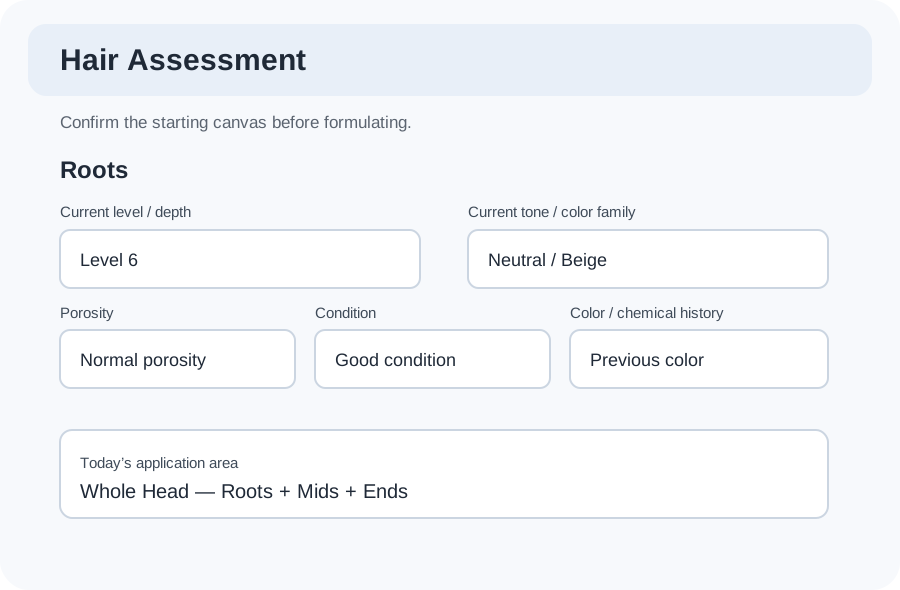
Record current level and tone by zone, with optional photos and AI-assisted assessment cues.
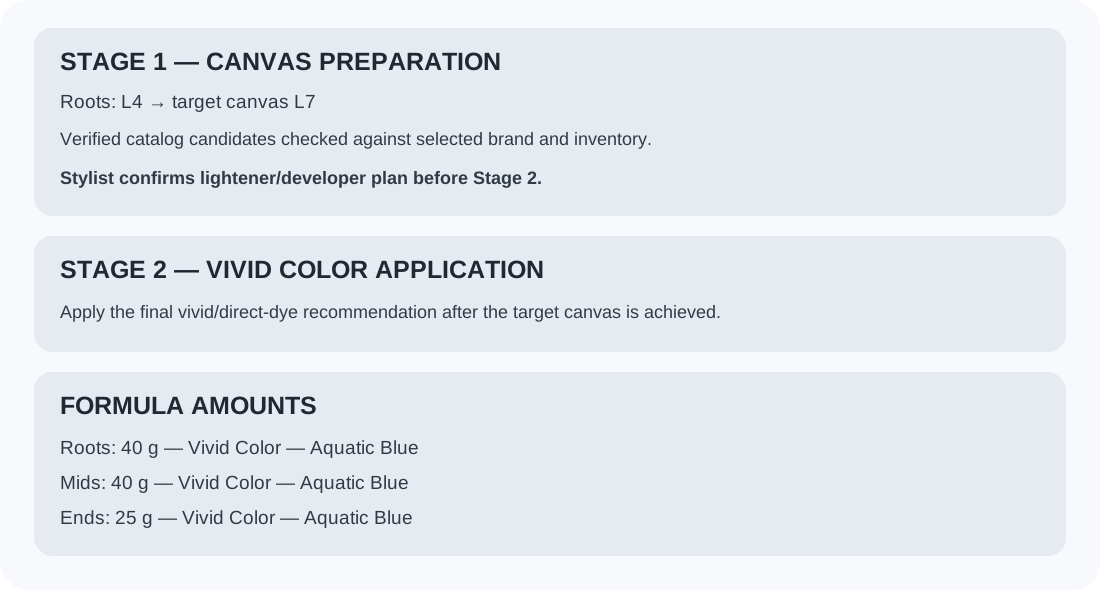
Review formula assistance against the target, selected brand system, and the stylist’s judgment.
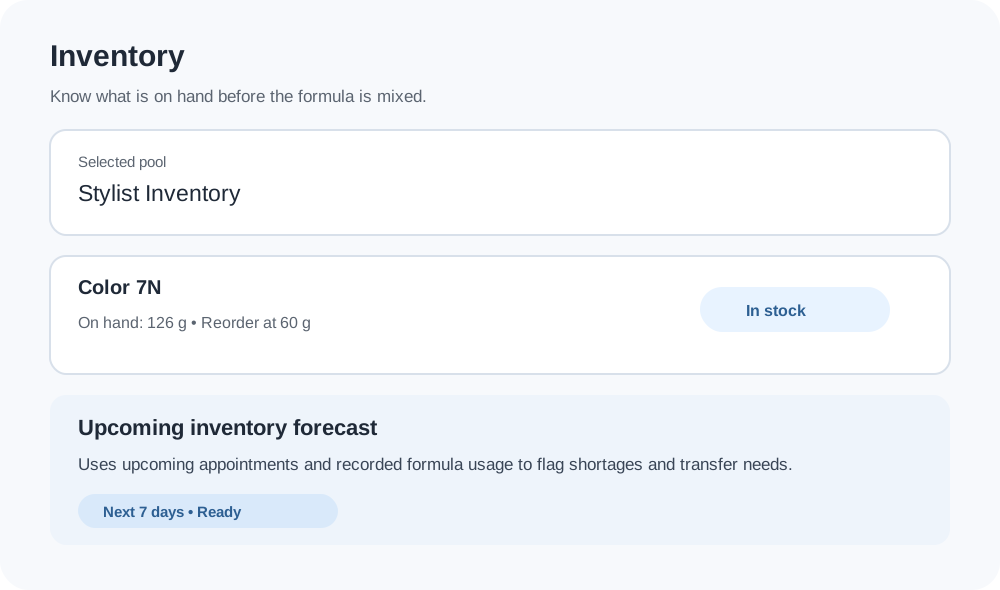
Confirm the chosen inventory pool has the products needed before mixing.
Save the actual formula and usage so the next visit starts with better history.
When the appointment starts, the stylist picks the route for that client. Both routes record the formula and deduct inventory the same way.
SalonSight is salon management software for professional hairstylists and colorists who need more than a calendar. It keeps the client consultation, starting canvas, hair color formula, product usage, and color inventory connected from one visit to the next.
Use it as a web-based hair salon app on a phone, tablet, or desktop. Salons that already have scheduling software can keep it; the SalonSight appointment module is optional.
SalonSight carries the client story from consultation to formula to inventory — while the stylist stays in control of every professional decision.
Build a repeatable record of the client’s starting point, desired result, service plan, photos, and visit history.
Track roots, mids, and ends separately with level, tone, gray, porosity, condition, and color-history context.
Generate a starting recommendation, review multi-stage needs, and keep the stylist in control before anything is used.
Manage salon and stylist inventory pools, barcode receiving, transfers, usage, cost, reorder levels, and upcoming needs. Product costs stay owner-only unless you choose to share them.
SalonSight can surface shortages or transfer needs while the formula is being reviewed instead of discovering them at the color bar.
Already use appointment software? Keep it. SalonSight scheduling is optional and can work alongside — and, where supported, integrate with — many existing appointment platforms.
Recent additions shaped by feedback from the stylists using SalonSight every day.
Salons using SalonSight appointments open to each stylist’s day: today’s clients in order, one tap to start the visit with the booked service already picked, and a heads-up when their stock is running low.
Post finished results to the salon’s Facebook and Instagram, and, if the owner allows it, to the stylist’s own Instagram, TikTok or other accounts, with a “Styled at” credit for the salon. Nothing posts without the client’s OK.
Salon Setup flags what’s left: a red mark for what SalonSight needs to work and a yellow one for what will make results better. Optional features you don’t use never nag.
Scan the barcode on each tube as you mix, and that color is added to the client’s formula for you. No searching through long shade lists, and what you use comes off your inventory when the visit is done.
New client coming from a salon that used a brand you don’t carry? Enter what they used, and AI suggests the closest products you have in stock. The stylist approves every match.
Perm and Perm + Cut services record the perm product, rods, processing time, test curl and neutralizer, so the next perm starts from what worked. Perm kits come out of inventory when the visit is completed.
A client texts a selfie and a photo of the look she wants? Try it on her photo without opening a client file. Only the hair is copied, the look is private to the stylist, and it deletes itself after a week. Send it to the client with one tap.
Moving, traveling or wintering somewhere warm? Give a client her color history to take along: natural base, gray, recent formulas and levels in plain words. The owner turns it on, the stylist decides for each client, and prices and salon notes never appear.
Turn on only what you offer: install, extension hair or move-up. Add them to any service, like color plus a move-up, with your prices filled in. Extension hair scans into stock and comes out when it’s used.
Clean screens, large touch targets, and a workflow that works on phones, tablets, and desktop browsers.
Capture the information that matters zone by zone so the stylist has a consistent starting point before formulation.
Review formula assistance, multi-stage needs, measured amounts, and the selected inventory pool before anything is mixed.
Connect the formula to salon or stylist inventory so shortages, transfer needs, usage, and upcoming inventory needs are visible earlier.
Salons that already have appointment software can keep using it. SalonSight can work alongside — and, where supported, integrate with — many existing scheduling platforms. For salons without one, the optional appointment module adds open-time views, 15-minute booking, day-before reminders, printable schedules, and a My Day view where each stylist starts today’s visits with one tap.
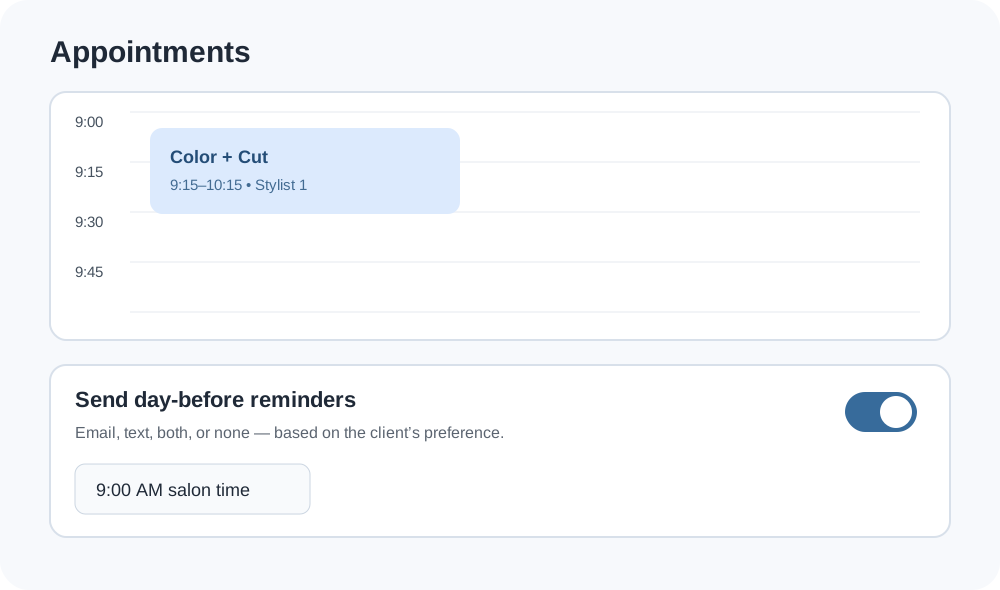
Interface previews are based on current SalonSight screens and intentionally contain no client-identifying data.
This short illustrated walkthrough shows how SalonSight connects the client workflow, hair assessment, formula assistance, inventory, and day-to-day salon operations.
SalonSight can support salon-wide back stock, stylist-owned inventory, shared devices, personal devices, and optional assisted intake. Smaller salons can keep the workflow simple; larger teams can divide responsibilities without separating the client record from the formula and inventory picture.
Tell us how your salon works →SalonSight is built to help professional salon teams keep color-service information together instead of spreading it across paper formula cards, notes, inventory lists, and separate client records.
Yes. SalonSight is a web-based hair salon application designed for phones, tablets, and desktop browsers. It focuses on client consultations, hair assessment, color formulas, client history, and salon inventory.
Yes. Stylists can review formula assistance, record the formula actually used, retain the client’s color history, and bring that information forward to future visits.
Yes. SalonSight connects formula quantities with salon or stylist inventory pools, tracks product usage and costs, and can surface shortages or transfer needs before mixing.
No. At the start of each visit the stylist chooses Manual or AI-assisted. The manual route is two screens — enter the formula, then confirm what was used — and still records history and deducts inventory. A client’s last formula can be reused with one tap.
Only if the owner allows it. Product and service costing is visible to owners by default and can be turned on for individual team members in Salon Setup.
Yes. Perm and Perm + Cut are built-in services. The stylist records the perm product, rod sizes, processing time, test curl and neutralizer, and that history is there for the next perm. Perm kits are scanned into stock like color and come out of inventory when the visit is completed.
Enter the previous salon’s products as they were used. SalonSight’s AI suggests the closest match from the products you actually have in stock, explains what to check, and the stylist approves each one before it goes into the formula.
Yes. The owner turns on only the extension services the salon offers (install, extension hair, move-up) and sets a default price for each. They can be booked as an extension visit or added to color, a cut or another service, and clients who come in wearing extensions can still book anything. Extension hair is scanned into stock and comes out of inventory when it’s used.
Yes. With the client’s permission, SalonSight’s AI shows the new color or cut on her own photo, and can copy the hair from an inspiration photo she brings. For “what if” questions sent by text, the Look Playground does the same without opening a client file; those looks are private to the stylist and deleted after 7 days. It’s a simulation to guide the conversation, not a promise of the final result.
Yes, if the owner turns on Color Passport. The stylist prints or shares a summary of the client’s natural base, gray and recent formulas, with or without amounts, for her next stylist. Levels are written in plain words so another color line can be matched, and prices, costs and salon notes are never included.
No. SalonSight runs in the browser on phones, tablets and computers, with no app store. When a new version is published, every device is offered the update automatically, so the whole salon stays on the latest version.
Yes, if the owner allows it. Results can go to the salon’s connected Facebook and Instagram, and stylists the owner approves can also share them to their own accounts through the phone’s share screen, with an optional “Styled at” credit for the salon. The client’s permission is always required.
Plan on about 15–20 minutes for the essentials (salon name, where your stock is kept, your stylists and the color lines you carry) and roughly an hour for a complete setup with every team member, service and option. Setup is done once. After that, change it whenever the salon changes: a new stylist, a new color line or new prices. Salon Setup marks anything still needed in red, anything recommended in yellow, and a checklist at the top takes you straight to each section that needs work.
It does not have to. Appointments and reminders are optional. Salons with an existing scheduling platform can keep it, while salons without one can use SalonSight’s optional appointment tools.
Request a short walkthrough or ask about pilot access. Tell us a little about your team and how you currently handle color consultations, formulas, and inventory.